We've been fighting the same problem for weeks: when you generate storyboard panels one at a time, characters drift. Hair color changes between shots. Wardrobes shift. The living room rearranges itself. We'd done five rounds of fixes on Scene 1 alone and still couldn't get nine panels to look like they belonged in the same movie.
Over the past two days, we finally cracked it. And we built a whole review system around it.
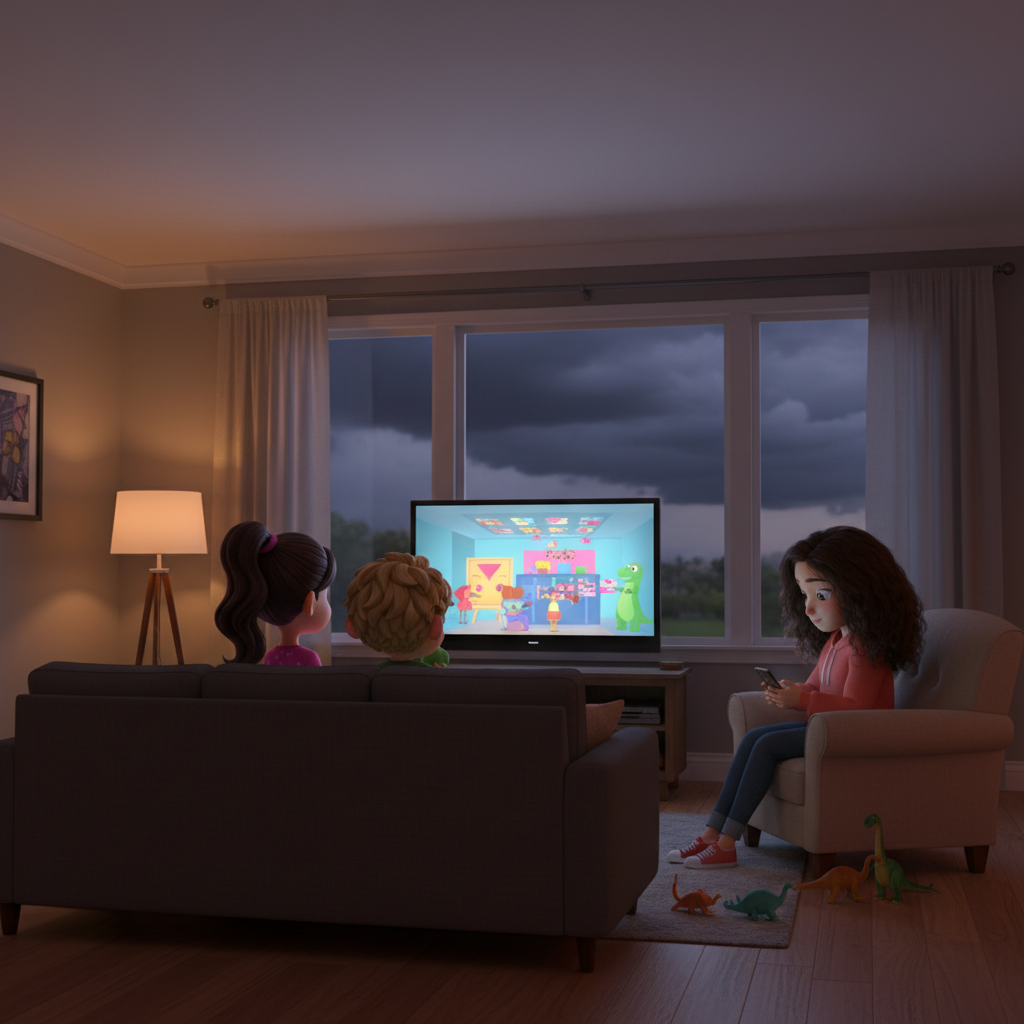
The establishing shot that anchors everything. Generated once with Gemini using character turnarounds as references, then used as the visual anchor for every other panel.
A 5-second motion clip generated from the establishing shot by P-Video. Cost: about 2.5 cents.
The Breakthrough: Video-First
The insight was almost too simple. Instead of generating start and end frames separately (and watching them drift), we generate one start frame, then use a video model to create a short motion clip from it. The end frame is just the last frame of that video.
Consistency is free, because both frames come from the same generation.
Here's the pipeline:
Total cost for all 9 Scene 1 panels (start frames + video clips + extraction): under $1.
What We Tried First (and Why It Didn't Work)
Before landing on the video-first approach, we tested Flux Kontext on Replicate. It was good at panel-to-panel consistency — characters looked similar from one frame to the next. But the quality was noticeably lower, and characters drifted away from our approved turnaround designs. The faces were "close enough" but not our characters.
The video-first pipeline sidesteps this entirely. Gemini handles the hard part (faithful character rendering from reference images), and P-Video handles the easy part (making things move without changing what they look like).
The Review App
Generating panels is only half the problem. The other half is reviewing them efficiently, flagging issues, and regenerating the bad ones without breaking the good ones.
So we built a review app. It runs on Cloudflare Workers with a D1 database and R2 storage.
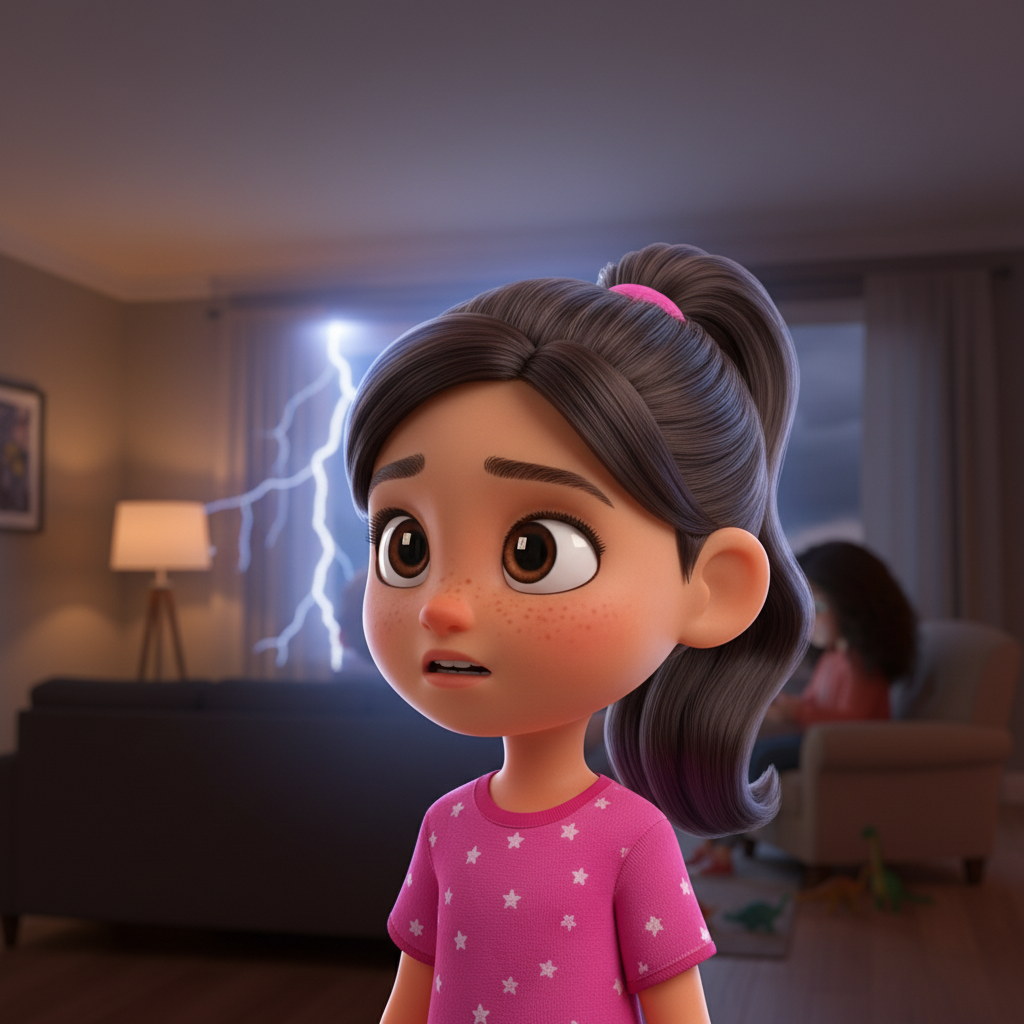
One of the panels generated through the pipeline: Mia's close-up. Consistent with her turnaround design, consistent lighting with the establishing shot.
Mia's "Promise?" moment as a video clip, with the end frame extracted automatically.
The app shows every panel with its start frame, video clip, and end frame side by side. Each panel gets an Approve / Needs Fix / Redo button. When something's off, you can drop pins or draw regions directly on the image to mark exactly what's wrong — "Mia's hair color is off here" or "the couch changed shape in this corner."
Hit the regenerate button and it kicks off the whole pipeline again for just that panel: Gemini generates a new start frame, P-Video creates the motion clip, ffmpeg extracts the end frame, everything uploads to R2 automatically.
Where We Are Now
All 9 Scene 1 panels are generated with consistent characters and settings. The director reviews in the web app, flags issues, and agents regenerate the flagged panels. It's a tight loop that actually works.
The pipeline went from "regenerate everything and hope for the best" to "surgical fixes on individual panels while keeping everything else locked." That's the real win.
Next up: running the same pipeline on Scenes 2 and 3, and seeing how well the hero-shot anchoring approach scales to completely different environments.