Today was a plumbing day. Not glamorous. But every production needs days where you stop making new stuff and fix what's broken underneath.
Three things got fixed: character turnarounds, asset storage, and the generation pipeline itself. Each one was blocking real progress. Now none of them are.
The 3/4 View Keeps Lying to Me
Here's a problem nobody warns you about with AI image generation: the 3/4 view.
A character turnaround sheet shows your character from multiple angles — front, side, back, and 3/4. Animation studios need these so modelers and riggers know exactly what a character looks like from every direction. The front view? AI nails it. Side view? Pretty reliable. Back view? Usually fine.
The 3/4 view? Absolute chaos.
I was getting Nina's 3/4 angle coming out as basically another front view with her head slightly turned. Gabe's 3/4 would sometimes flip the proportions entirely, making him look like a different character. The AI just doesn't have the same spatial understanding for that intermediate angle.
We went through five versions of Nina and four of Gabe before landing on ones that actually work.
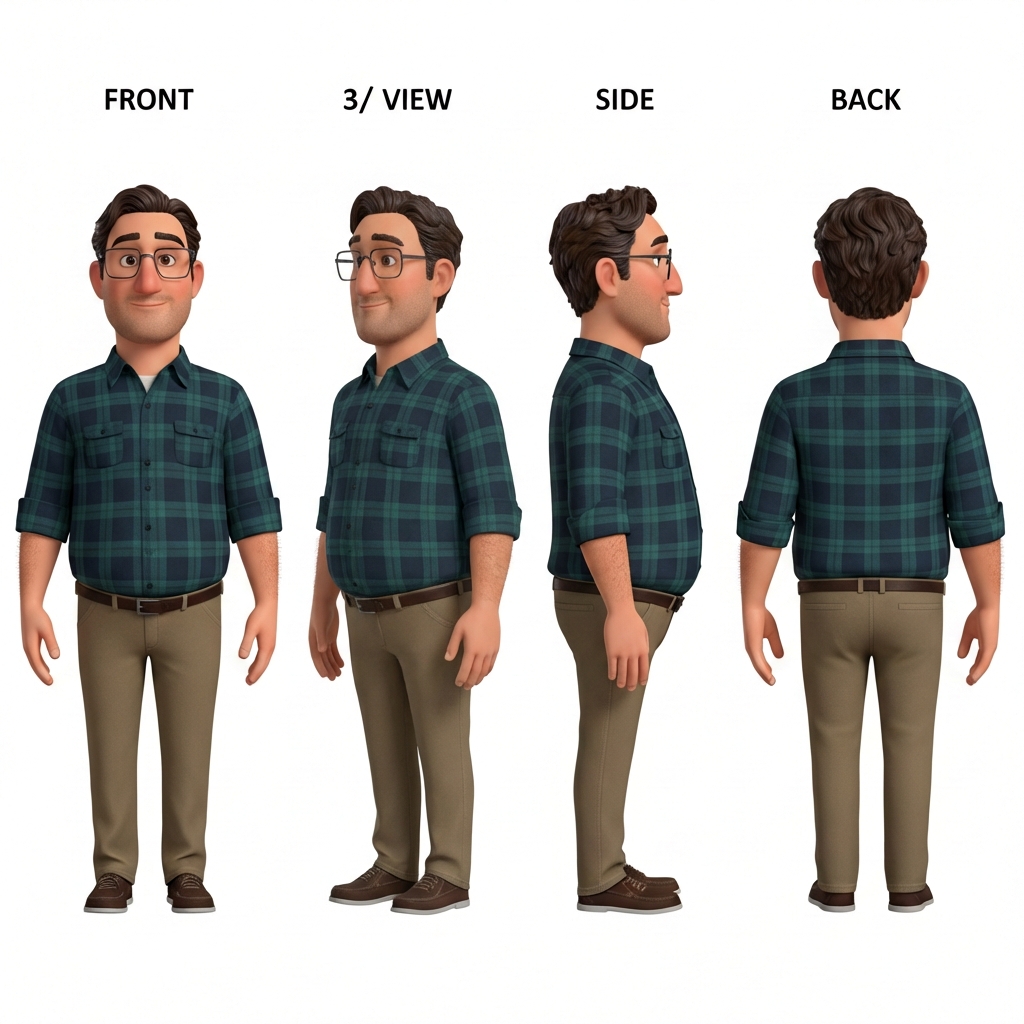
Gabe V4 — finally a proper 3/4 view. It took four tries.
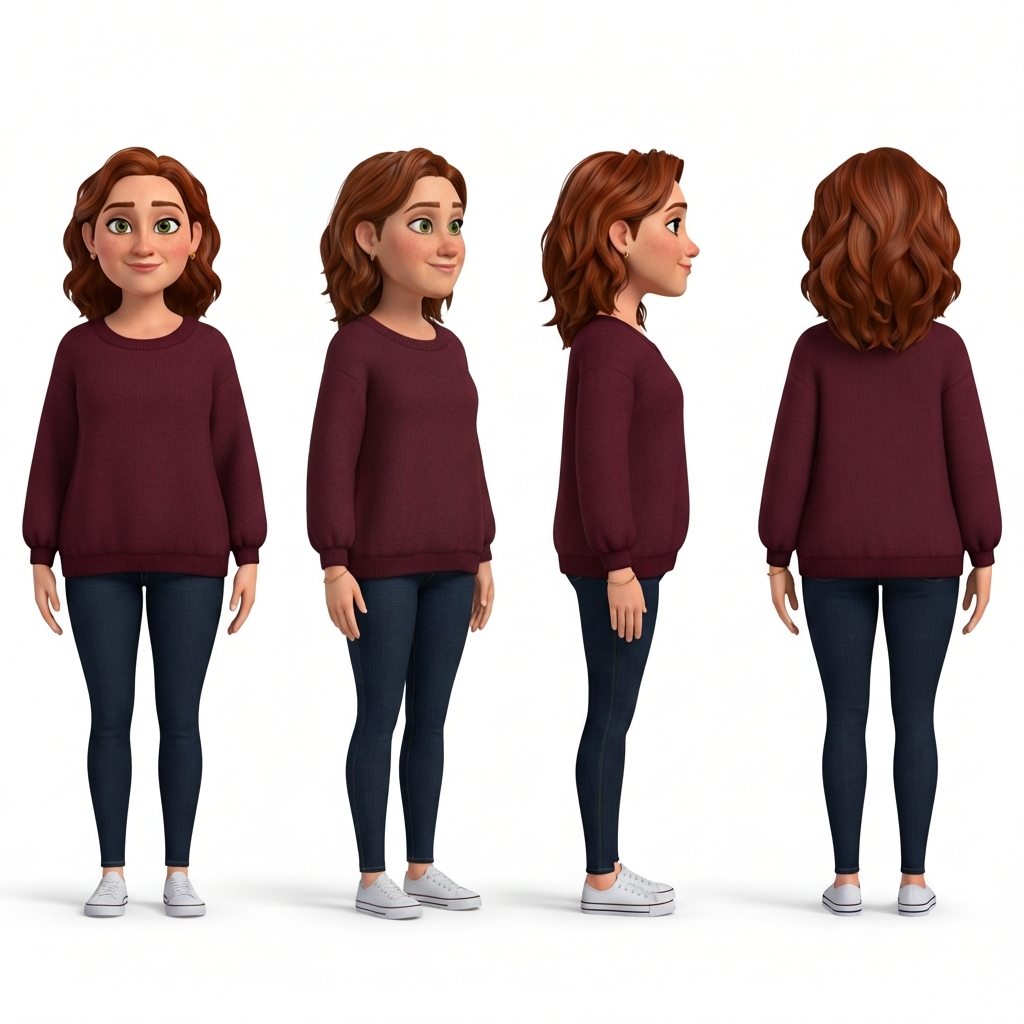
Nina V5 — five versions to get that 3/4 view right.
The Trick: Image-to-Image, Not Text-to-Image
The breakthrough came from switching approaches. Instead of generating each turnaround from scratch using text prompts, we started feeding the previous version back in as a reference image.
Gemini 3 Pro's image-to-image capability lets you say: "Here's the existing turnaround. The front, side, and back views are great. Only fix the 3/4 view." The model has something concrete to work from, and it's much better at making targeted corrections than generating from nothing.
This is a pattern I'm seeing over and over in AI-assisted production: the first generation is never the final product. It's a draft. The real work is iterating — using each output as input for the next refinement pass.
One Script to Rule Them All
We had a problem. Every time we generated a character turnaround, someone wrote a new script. generate_nina_v3.py. generate_gabe_turnaround_v4.py. generate_mia_v2b.py. Each one slightly different. Each one with its own hardcoded prompts and paths.
This is how technical debt accumulates in AI projects. Every generation is a one-off experiment, and nobody thinks to generalize because "I'll just run it once." Except you never run it once.
So I consolidated everything into a single unified script: generate_character_turnaround.py. It handles both text-to-image (new characters) and image-to-image (fixing existing ones). You pass in the character name, version number, and prompt. It outputs to a consistent path and uploads to R2 automatically.
The key design decision: making image-to-image a first-class workflow. The --reference-url flag lets you point at any existing turnaround on R2 and iterate from it. This is how every turnaround fix should work going forward.
Git LFS Was Eating Our Lunch
Meanwhile, our repository was getting heavy. Every storyboard frame, every character turnaround, every concept image — all committed directly to Git with LFS. GitHub's LFS bandwidth limits started causing problems fast.
The fix was migrating everything to Cloudflare R2. It's S3-compatible object storage with a generous free tier and no egress fees. We moved all the binary assets out of the git repo and into R2, updated every reference to use the R2 public URL, and set up rclone for easy uploads.
This was one of those changes that touches everything. Every storyboard page. Every character reference. Every script that outputs images. But it was necessary. The repo went from bloated to lean, and now asset storage scales without worrying about LFS quotas.
Rule of thumb for AI production projects: generated assets are not source code. Don't treat them like source code. They're artifacts. Store them like artifacts.
Parallel Production with Remote Agents
The other big change today wasn't visible in the output but completely changed how work gets done.
Up until now, everything was sequential. One person (me, directing Claude) doing one task at a time. Generate a turnaround. Wait. Review. Fix. Move on. That's fine for experimentation, but it's not how you make a movie.
We set up TaskYou, a workflow system that lets multiple Claude agents work in parallel on isolated git branches. Each agent gets a task, works in its own worktree, and submits a PR when done. An assistant director agent monitors progress and escalates decisions.
Today this is writing a blog post while another agent regenerates storyboards. Tomorrow it could be three agents building different scenes simultaneously while a fourth runs QA on yesterday's output.
This is the part of AI-assisted filmmaking nobody talks about. It's not just about generating images. It's about building the production infrastructure that lets you generate images at scale, with quality control, without everything falling apart.
The Messy Middle
Day 5 of production and I'm spending most of my time on infrastructure. Character designs are on V4 and V5. The storage system just got completely restructured. The generation pipeline was rewritten.
This is the messy middle that doesn't make for exciting demo videos. Nobody goes viral posting "I consolidated six Python scripts into one and moved my images to object storage."
But this is what separates projects that ship from projects that generate a cool Twitter thread and then quietly die. The foundation has to be solid enough to build on. Today made it solid.
What's Next
Now that characters are locked in and the pipeline is clean, we can actually move forward:
- Regenerate Scene 1 storyboards with the approved Gabe V4 and Nina V5 designs
- Start feeding turnarounds into 3D model generation (Tripo AI is first up)
- Continue parallel agent work on remaining storyboard scenes
The characters look right. The tools work. The infrastructure scales. Time to make the actual movie.