three days ago I wrote a blog post called "Rigging Reality Check" about how we tried four different ways to rig Mia and failed every single time. her hair turned to taffy. her arms clipped through her body. Rigify gave her 410 bones and crash-test-dummy joints.
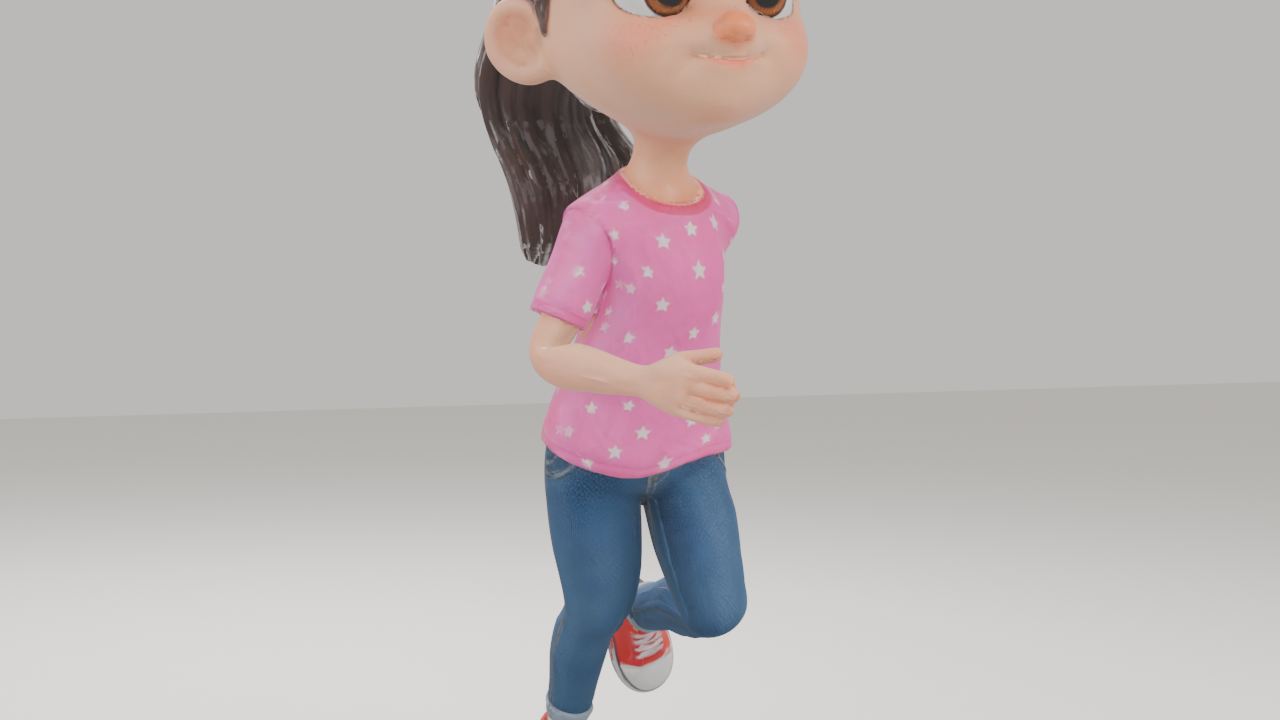
today, she stomps around a little scene with full textures, smooth deformation, and not a single polygon out of place.
the answer was embarrassingly simple.
Stop Re-Rigging. Just Stop.
here's what we were doing wrong: we kept downloading the raw mesh from Meshy, then trying to rig it ourselves in Blender. Auto-Rig Pro, Rigify, Mixamo, manual weight painting—all different flavors of "take this AI-generated mesh and shove a skeleton into it."
the problem is that AI-generated meshes have weird topology. uneven triangle density, edge flows that don't follow natural body contours, geometry that looks great standing still but falls apart when you try to bend it. traditional rigging tools expect clean, artist-made topology. they don't know what to do with Meshy's output.
you know who does know what to do with Meshy's output? Meshy.
Meshy has a built-in auto-rig feature. we'd tried it early on and dismissed it because the walking animation looked rough. but we were comparing it to professional studio quality. compared to every other option we tried, Meshy's auto-rig is miles ahead—because it understands its own mesh. it generated the geometry, so it knows where the joints should go and how the vertices should deform.
the new pipeline is dead simple:
- generate 3D model in Meshy
- apply Meshy's auto-rig (biped)
- pick an animation from their library
- export FBX
- import into Blender
- re-apply textures (the rigged export doesn't include them)
that's it. no manual weight painting. no bone cleanup. no hours of troubleshooting shoulder deformation. 24 bones, 22 vertex groups, clean deformation.
The Hair Problem (And Its Surprisingly Low-Tech Fix)
the rigging breakthrough came with one remaining issue: Mia's hair.
her original design has beautiful curly hair. the kind of hair that makes a great 2D character illustration. the kind of hair that makes a 3D mesh generator produce weird skin-colored squiggly bits near her ears.
we tried programmatically removing the artifacts. first pass removed 406 tiny mesh islands. didn't fix it—the dangles were bigger than that. second pass used spatial analysis to find elongated geometry near the ears. it found the artifacts... and also removed part of her cheek, leaving a hole in her face.
the fix wasn't technical at all. we just redesigned her hair.
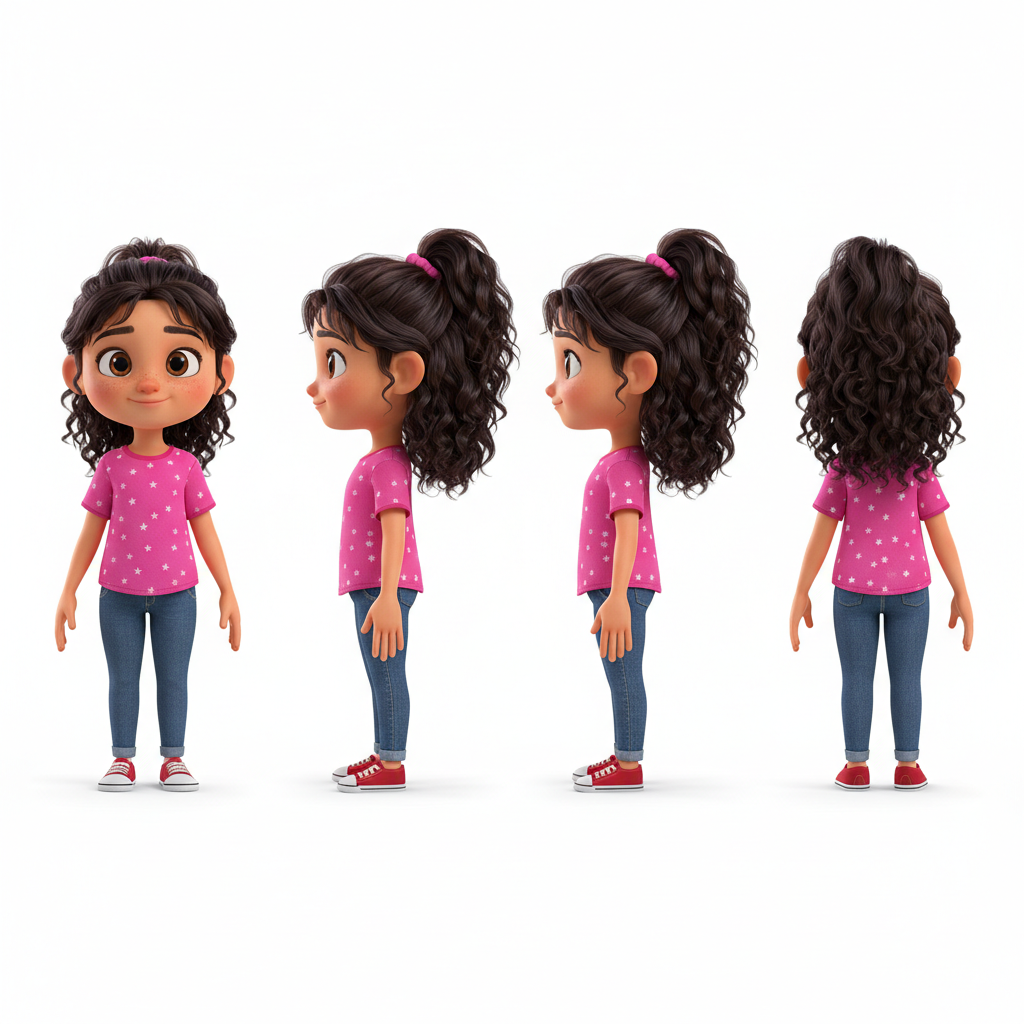
Original: gorgeous curly hair, mesh nightmare
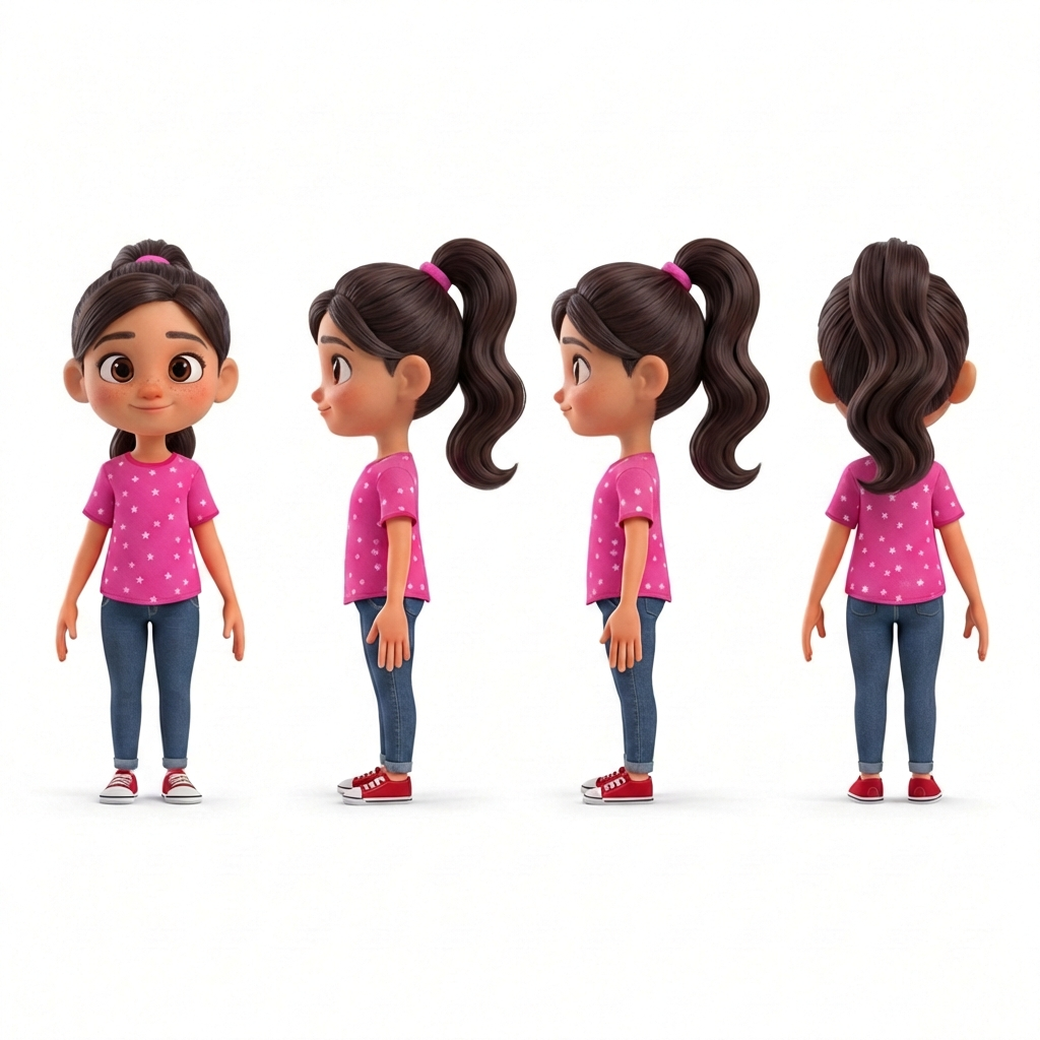
Animation-friendly: simple wavy ponytail, clean 3D
we used Gemini's image-to-image generation, starting from the approved Mia turnaround, and iterated through about 20 variations. simpler ponytail. no wisps in front of the ears. chunky, sculpted hair volumes instead of individual strands. it took maybe six rounds to get something that still looks like Mia but won't create mesh artifacts.
Meshy's own docs say "long hair, fur, fine hair-like structures" are problematic. we should have read the manual first.
The Scene
once we had the working rig, we couldn't resist building a proper scene. not just a turntable render—an actual shot.
ground plane. warm key light, cool fill, a rim light for separation. camera slowly orbiting from -25 to +25 degrees. Mia doing an "angry ground stomp" animation from Meshy's library, looped three times.
full PBR material setup: diffuse texture for color, normal map for surface detail, roughness map, metallic map. all piped through a Principled BSDF shader in Blender. rendered with EEVEE at 1280x720, encoded to MP4.
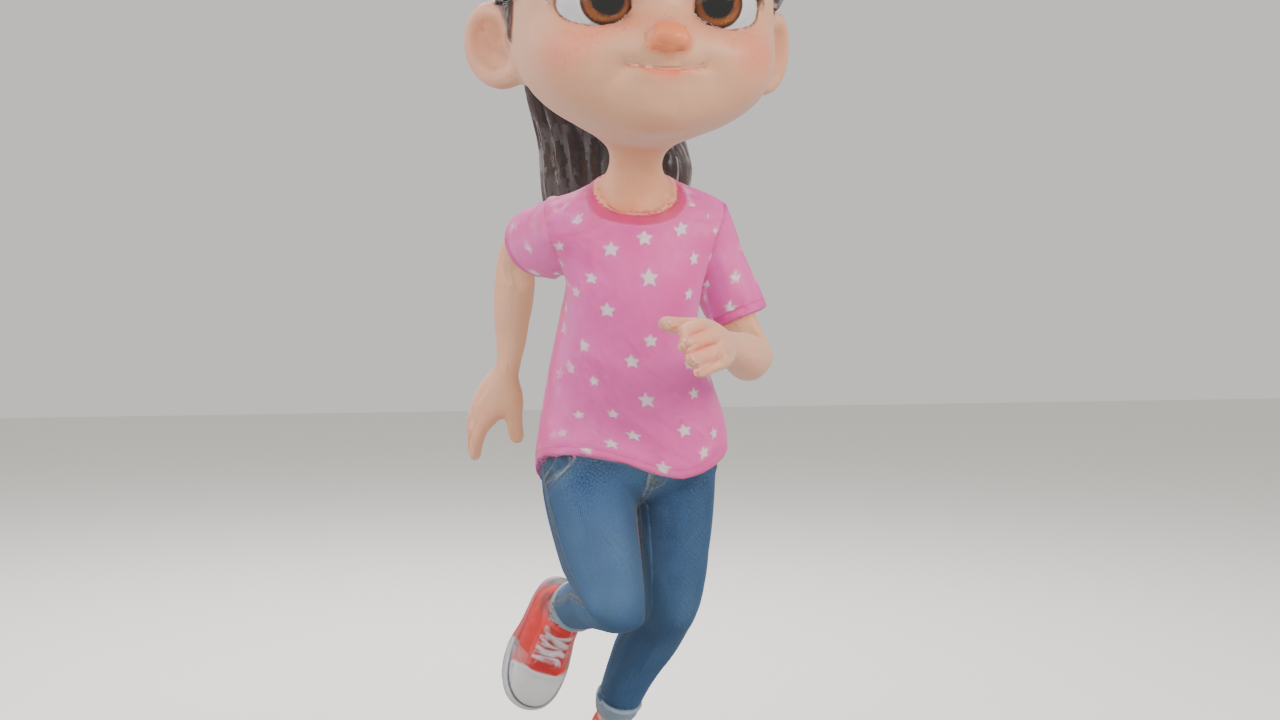
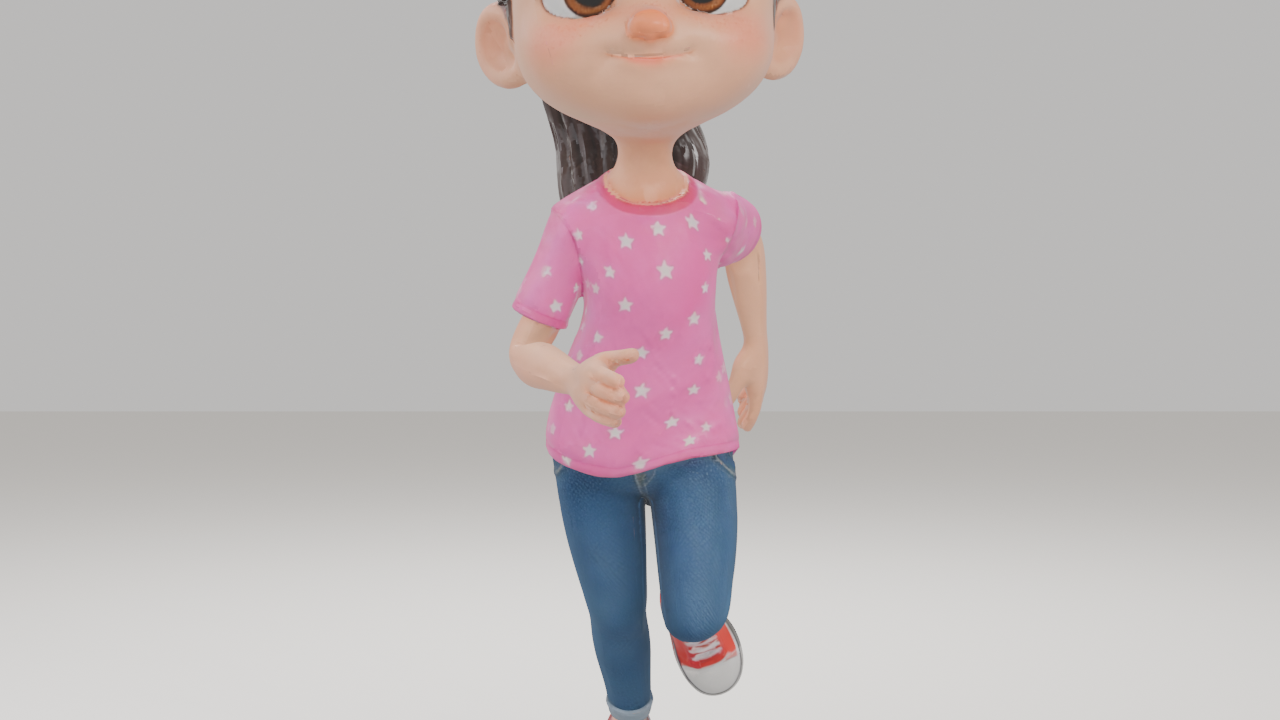
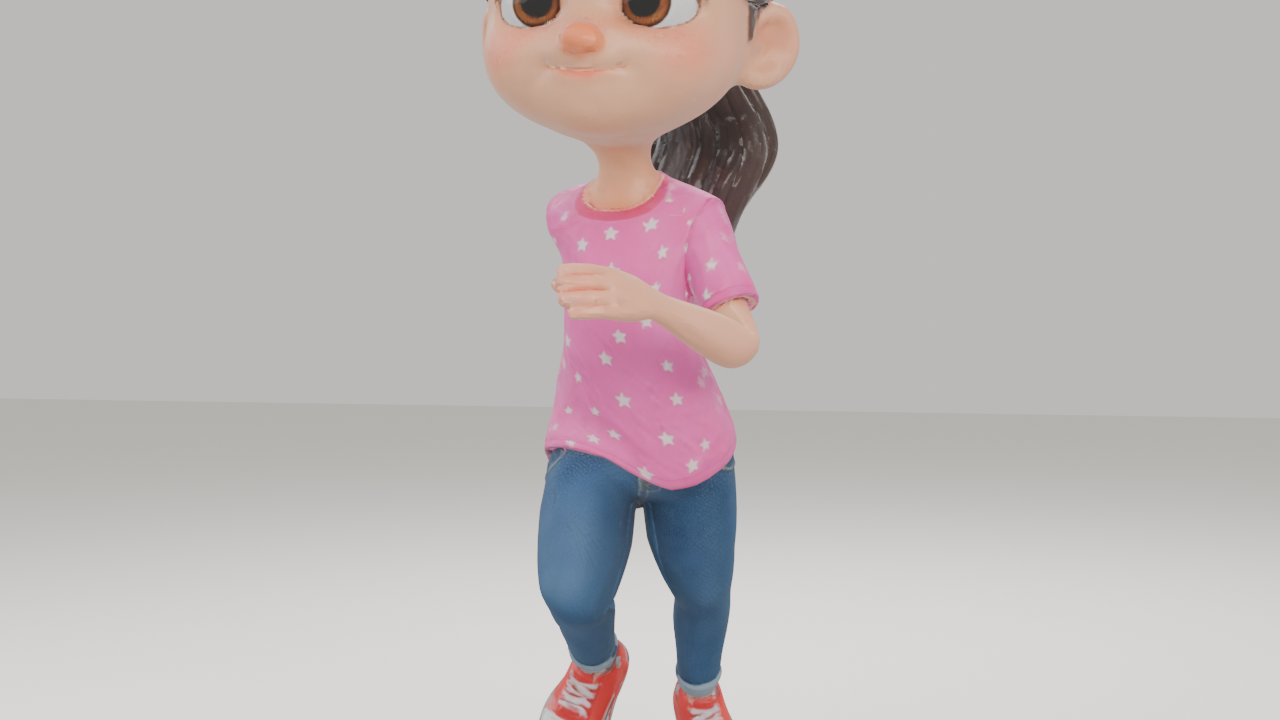
three frames from the scene render, showing the camera orbit and animation.
it's not Pixar. the textures are a little flat in places and the animation is from a preset library, not hand-keyed. but she moves. she has weight and presence. her feet plant on the ground. her arms swing naturally. nothing clips, nothing stretches, nothing detaches.
three days ago she couldn't bend her elbow without her shirt inflating like a balloon. today she's stomping around a lit scene. that feels like progress.
What This Means For The Pipeline
the big realization is that the best results come from staying inside Meshy's ecosystem as long as possible. generate the model there. rig it there. animate it there. only export to Blender when you need to do things Meshy can't—scene composition, custom lighting, camera work, rendering.
this changes our approach to the rest of the characters. instead of generating 3D models and then spending days figuring out how to rig them, we'll generate, rig, and animate all in Meshy, then bring them into Blender as finished animated characters ready for scene work.
we also learned some concrete rules for 3D-friendly character design:
- hair should be chunky sculpted volumes, not individual strands. think clay, not real hair.
- no wisps or fine details near the face. anything thin and dangly near the ears will become mesh artifacts.
- A-pose works better than T-pose for the input image. arms at 30-45 degrees from the body.
- plain white backgrounds, good lighting, no dramatic shadows in the turnaround sheet.
these aren't artistic preferences. they're technical constraints imposed by how image-to-3D AI works right now. the art direction has to account for the pipeline, not fight it.
Next Up
Mia is our proof of concept. now we need to put the other five main characters through the same pipeline. generate animation-friendly turnarounds, run them through Meshy, rig them, pick some test animations, and get them all into Blender.
then we start building actual scenes from the movie. multiple characters, environments, camera choreography. the real work.
but today? today Mia walks. and that's a good day.